Role
HMI designer, UX/UI designer
Introduction
This is a university project completed during my final year in collaboration with Iveco, a global leader in the transport industry.
The brief challenged us to design an innovative HMI for heavy vehicles, focusing on enhancing the user experience for truck drivers.
Challenge
The challenge of this project consists in analyzing the truck driver's user experience, identifying the main problems and aspects to improve, with particular attention to the interactions between the user and the vehicle.
Research
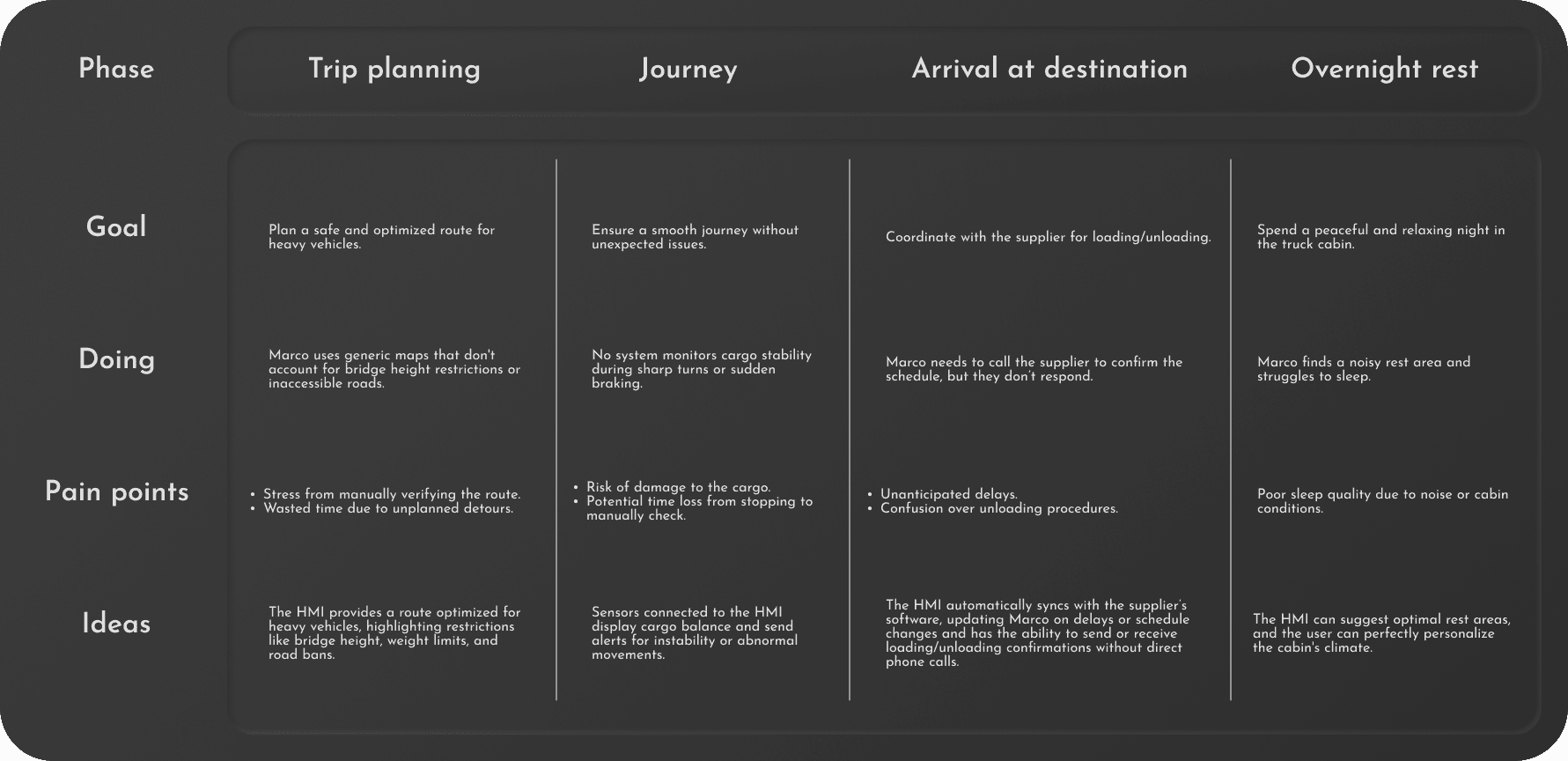
During the initial research phase, I focused on creating a detailed profile of a truck driver who frequently undertakes multi-day international trips. Using this data, I then developed a hypothetical user journey to identify daily challenges and key areas for improvement.
Description
International truck driver with years of experience. He transports delicate machines and has to meet tight deadlines.
Pain points
From the analysis of Marco's user journey, these key pain points emerged:
Inefficient navigation
Standard GPS systems are not optimized for heavy vehicles, ignoring critical constraints like bridge heights or weight limits. This forces drivers into unexpected detours, increasing stress and fuel consumption.
Communication friction
Loading and check-in workflows are too manual. Drivers lack a frictionless way to report delays, receive live updates, or digitally sign load receipts directly from the cab.
Cargo instability risks
Drivers cannot monitor cargo stability or weight distribution in real time. Without instant shifting-load alerts during turns or sudden braking, vehicle safety and cargo integrity are at risk.
Layout
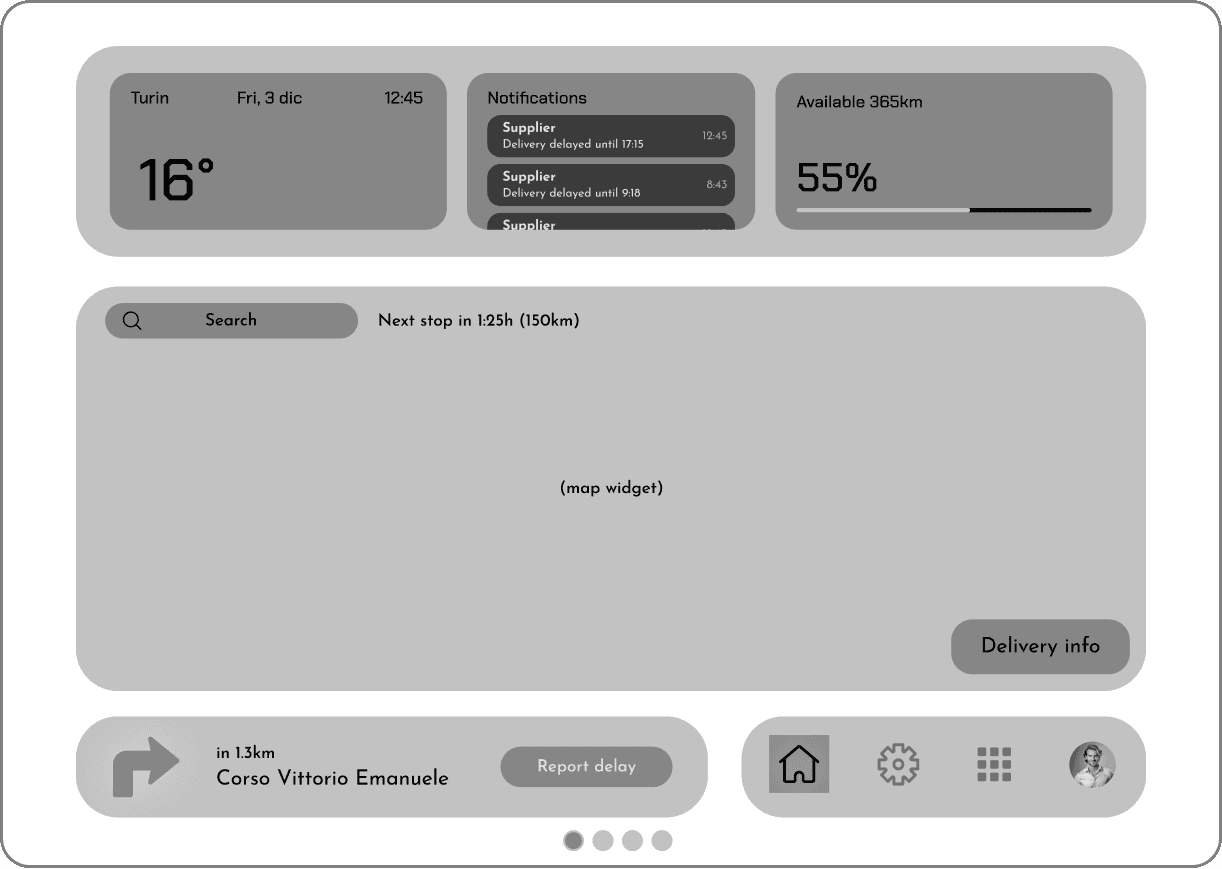
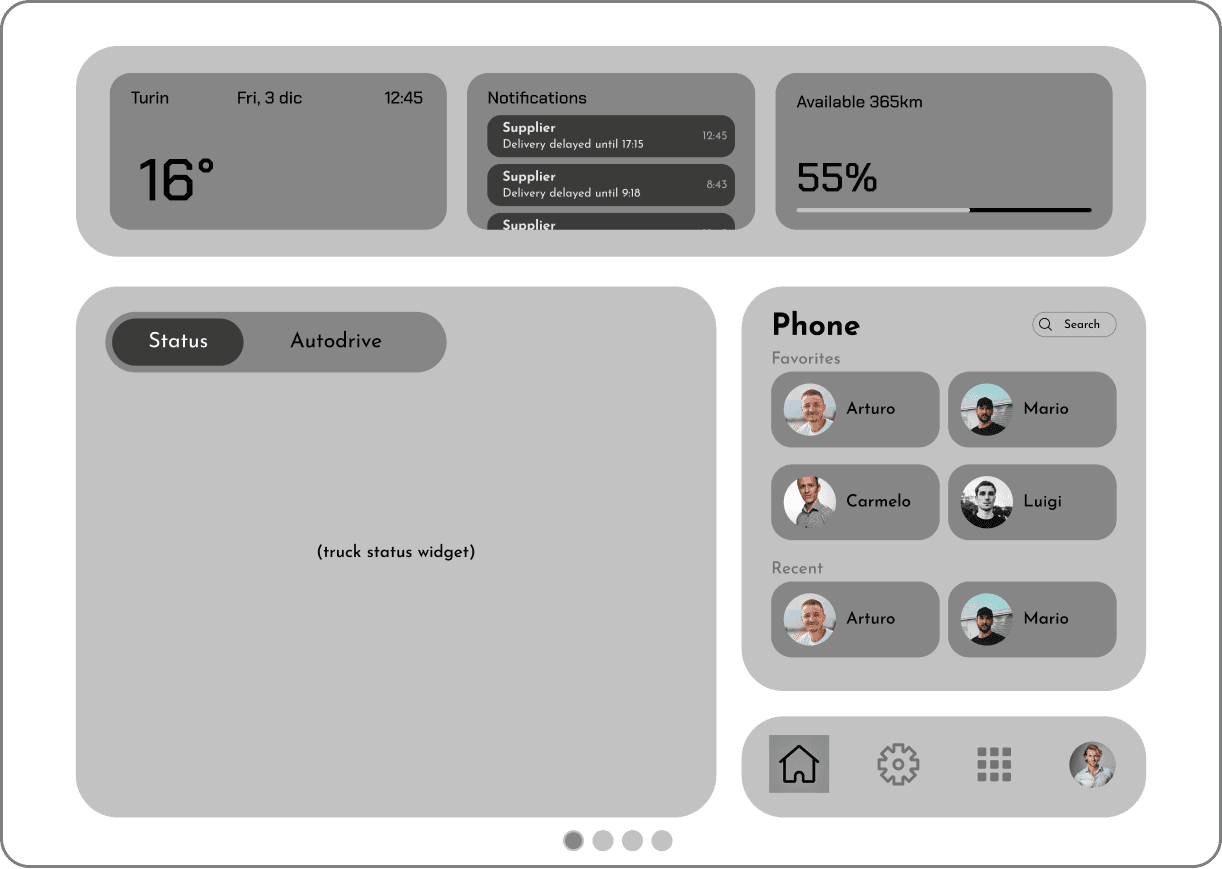
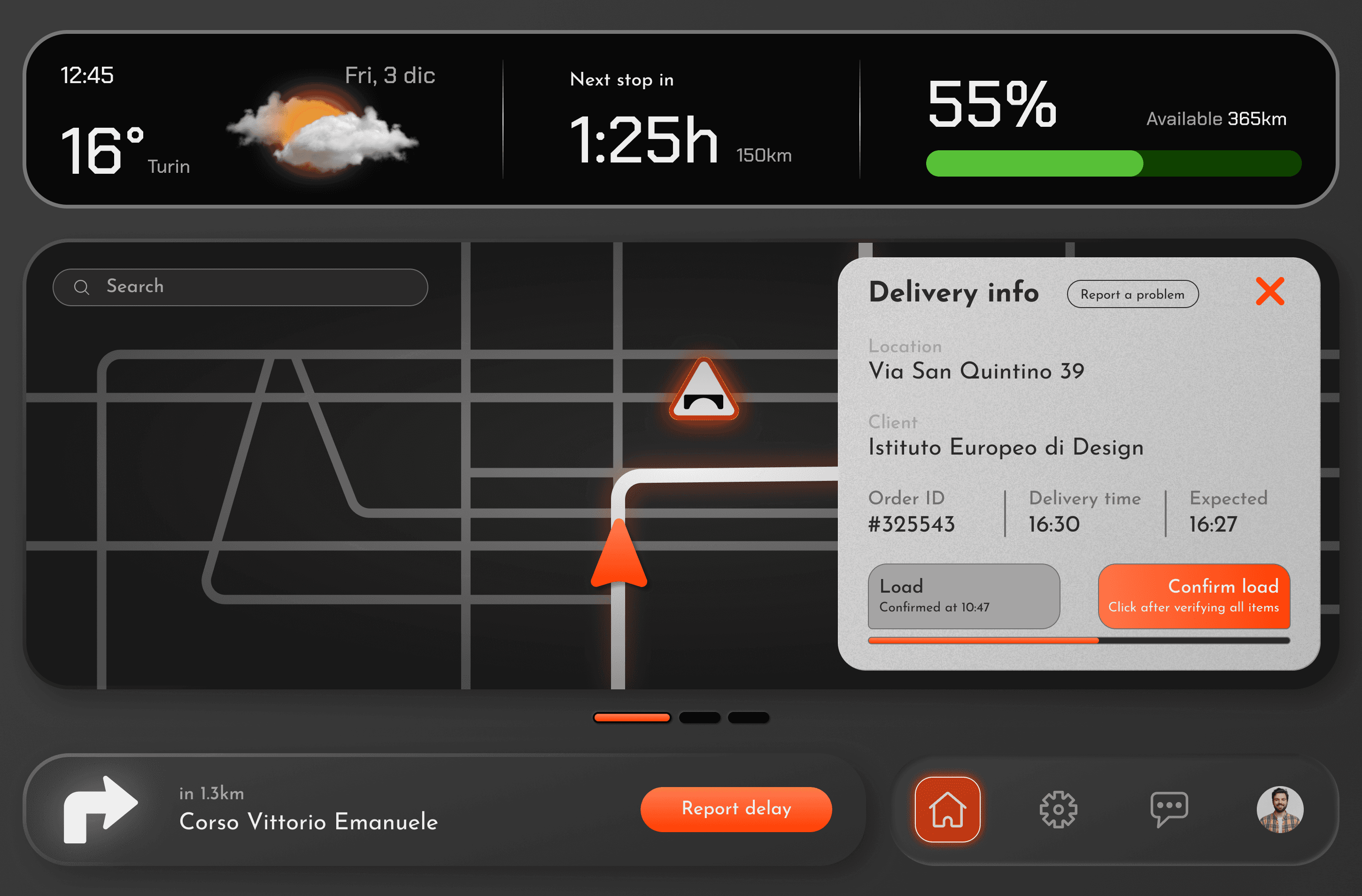
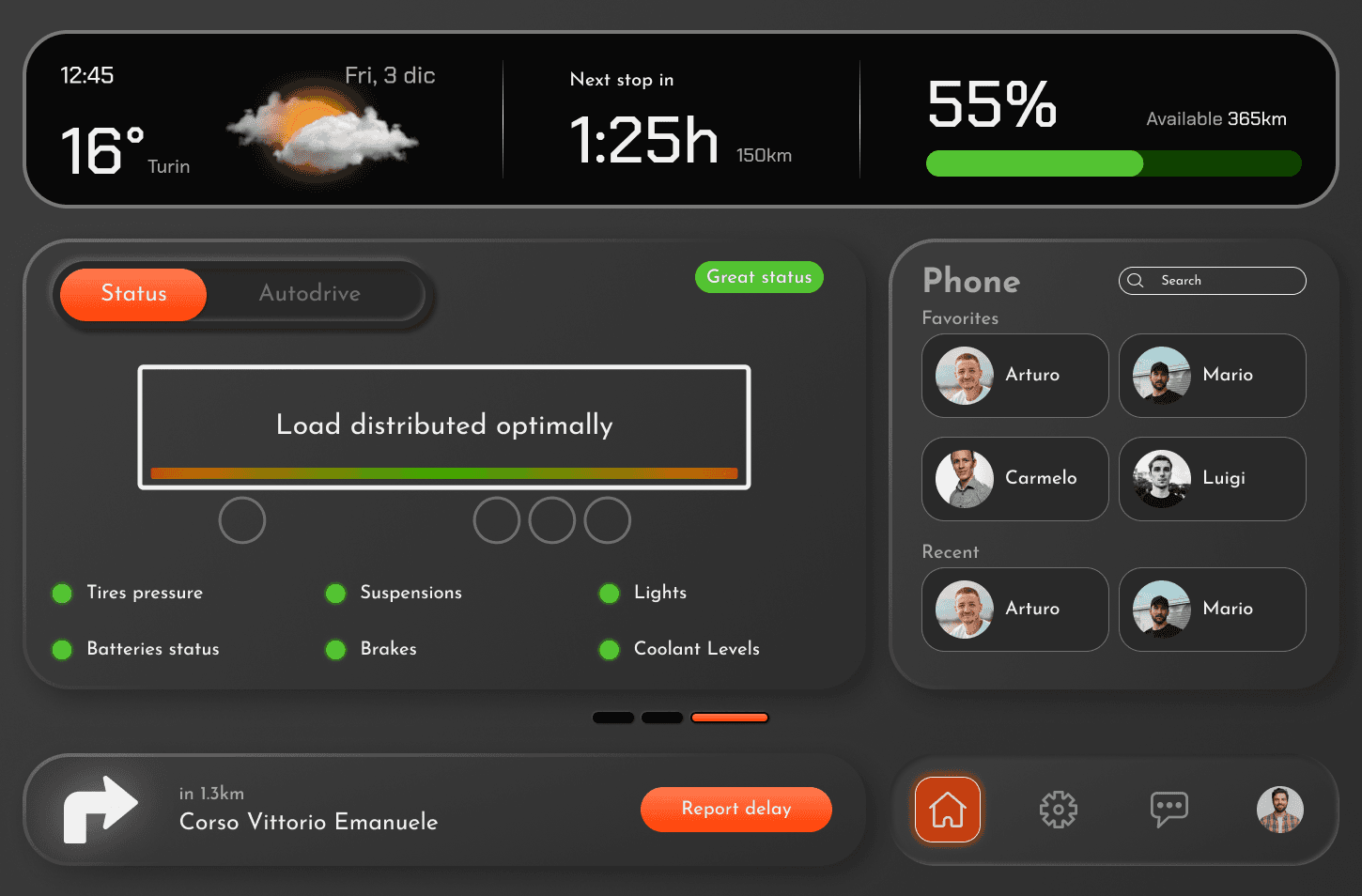
The system is built on a modular grid. While the top data widget and bottom controls remain fixed, the central body changes as you scroll to display different widgets.
Solution
The persistent top widget keeps the driver informed of the next strategic stop, remaining battery autonomy, and ambient data at a single glance.
The system updates routes based on vehicle dimensions, highlighting restrictions like low bridges and weight limits for safer, more efficient travel.
"Report Delay" button for immediate updates to clients.
Delivery info
This section provides detailed shipment information and allows the driver to manually report loading/unloading progress or flag issues with the cargo, instantly alerting relevant stakeholders.
Load management
The interface provides a clear visualization of the cargo’s weight distribution, helping to ensure optimal stability. Below the visualization, real-time indicators monitor the truck’s key systems improving safety and reducing maintenance risks and in case of problems, the system alerts the driver.
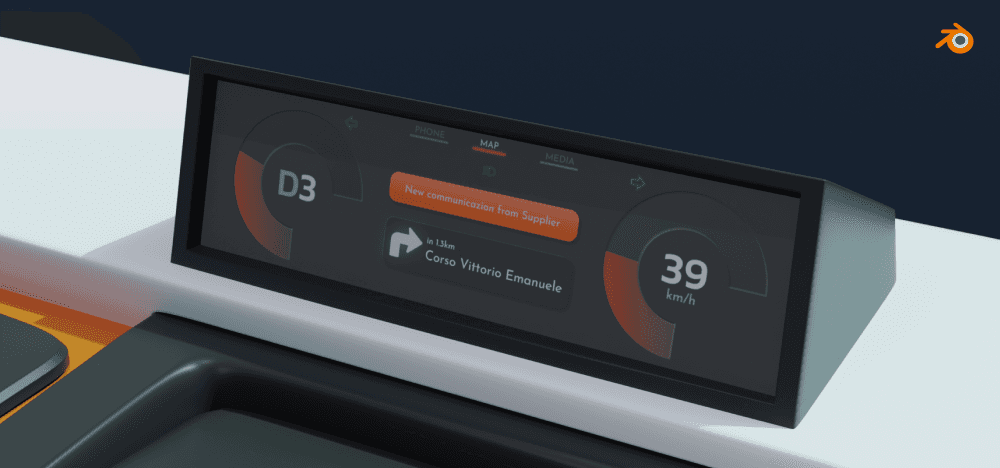
Modeled and rendered witch Blender.
Home mode
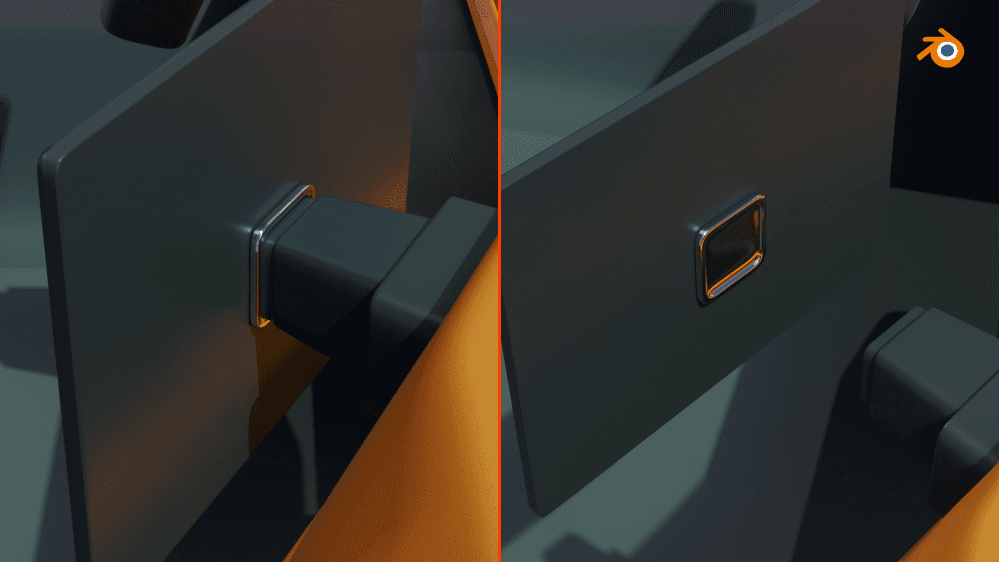
The Home Mode lets drivers detach the HMI screen from its magnetic base and use it like a tablet during breaks. With access to popular streaming services, it ensures a relaxing and enjoyable downtime, enhancing comfort on long journeys.
Results
The HMI improves the truck driver’s experience by solving key challenges. It ensures safer journeys with optimized navigation and load stability monitoring. Communication with clients and suppliers is faster and more efficient, reducing delays. Overall, the system saves time, lowers stress, and enhances safety and productivity on the road.